Validate Your Data
Status
Under Status, you can see a summary of the current state of your AdRetriever data, based on what was imported from your data source:
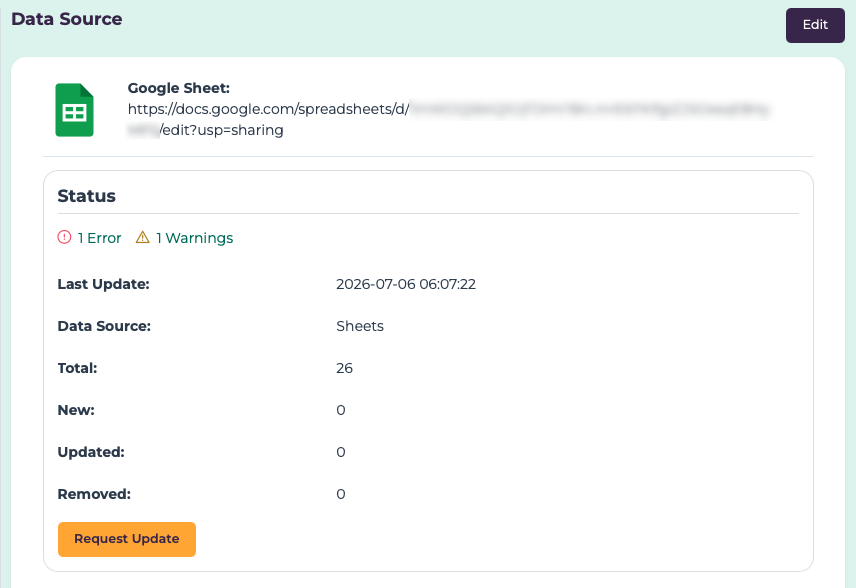
- Last Update: The most recent time that data was updated from the data source.
- Data Source: The data source used to update data.
- Total: The number of items from the data source that were successfully validated.
- New: The number of items newly added to the item inventory on the last update.
- Updated: The number of items already in the inventory that were modified on the last updated.
- Removed: The number of items previously in the inventory that were removed (no longer found in the data source) on the last update.
Validation Details (Errors & Warnings)
You may occasionally see errors or warnings after a date source update:

Errors occur when items in the data source are not imported, due to validation problems—like missing or invalid attributes, duplicate IDs, or problems processing images. Warnings are used to alert you to potential problems that may not prevent items from being imported, but may indicate problems with the data source—like partially-missing data, or incomplete updates due to Data Retention thresholds.
You can select the error/warning summary to view specific details. Here are some examples of the types of errors and warnings you may see:
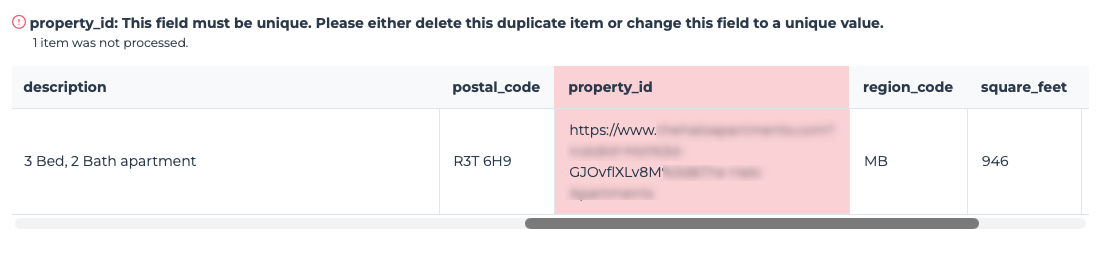 A duplicate ID error occurs when two or more items in the data source have the
same ID. IDs are required to be unique within a data source, as they are used
to tell if an AdRetriever item should be added or updated.
A duplicate ID error occurs when two or more items in the data source have the
same ID. IDs are required to be unique within a data source, as they are used
to tell if an AdRetriever item should be added or updated.
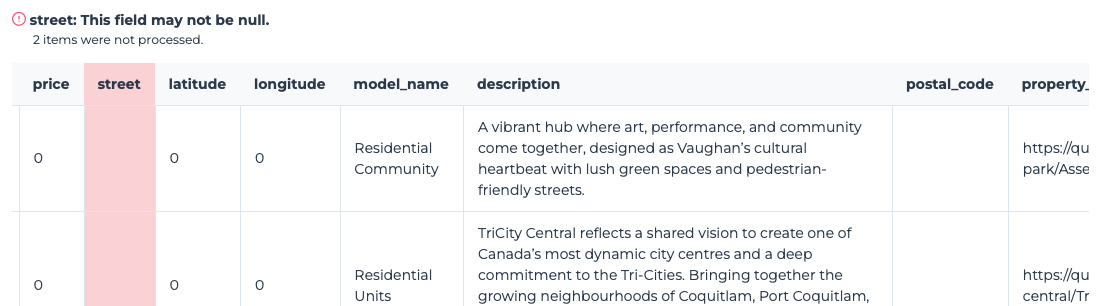 A missing required field error occurs when an item in the data source is missing
a required field.
A missing required field error occurs when an item in the data source is missing
a required field.
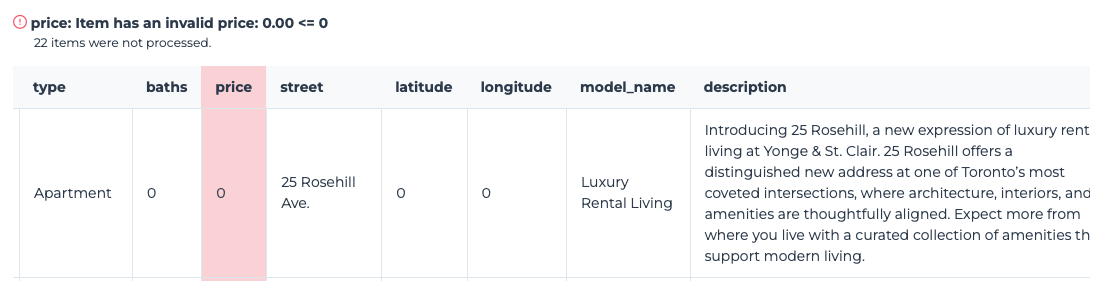 An invalid value error occurs when a value is incorrect for the field type, or
outside the allowed range.
An invalid value error occurs when a value is incorrect for the field type, or
outside the allowed range.
Previous Inventory Updates
You can view the latest changes to the AdRetriever inventory under the Previous Inventory Updates section:
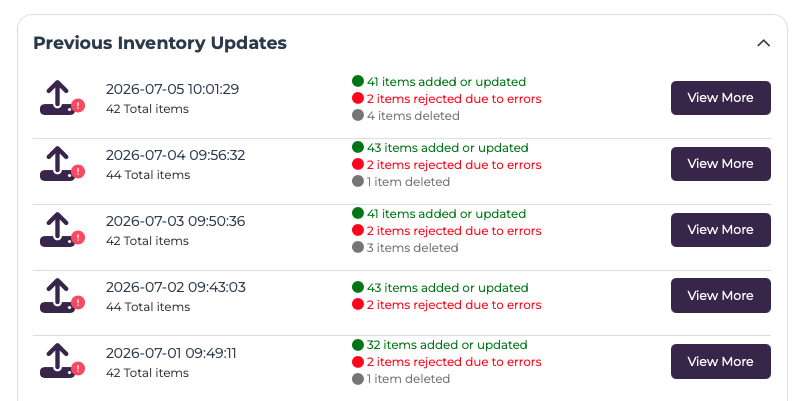
This section shows the last 10 inventory updates—that is, times that an update from the data source resulted in changes to the AdRetriever inventory. If there were any errors or warnings during the update, you can view the details by selecting View More.